
An inbox that learns your portfolio and answers like your best team member.
One inbox for every guest channel. Chirp AI builds a knowledge base from your properties and the way your team already replies, drafts a response to every message, and gets sharper with each one you edit. You decide what goes out on autopilot.
How a message becomes a reply
Every inbound post is read, assessed and drafted before anyone on your team opens it.
Every channel in
PMS and Airbnb threads arrive automatically; add email on your domain, SMS, WhatsApp, Instagram and Messenger.
Chirp AI reads it
Sentiment, intent category, action items, cleaning and maintenance issues, and language — on every inbound post.
A draft appears
Grounded in your knowledge snippets, the reservation and the property, with a confidence score, a risk level and five quality signals.
You send — or Autopilot does
Approve, edit or discard. When every check clears your thresholds, Autopilot sends and closes the thread.
Issues become tasks
Action items, cleaning issues and maintenance issues are extracted and dispatched wherever you manage tasks.
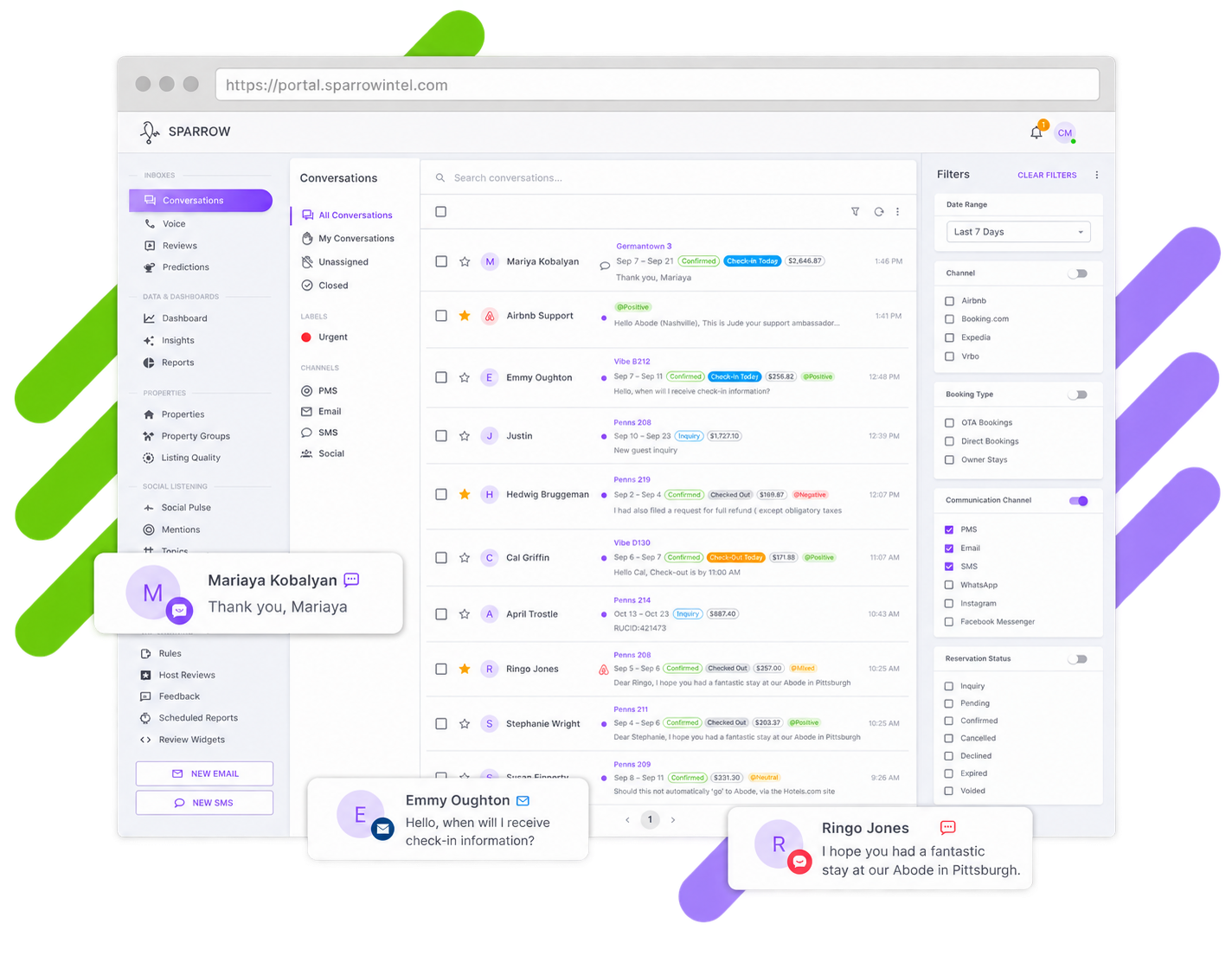
Every guest thread in one place
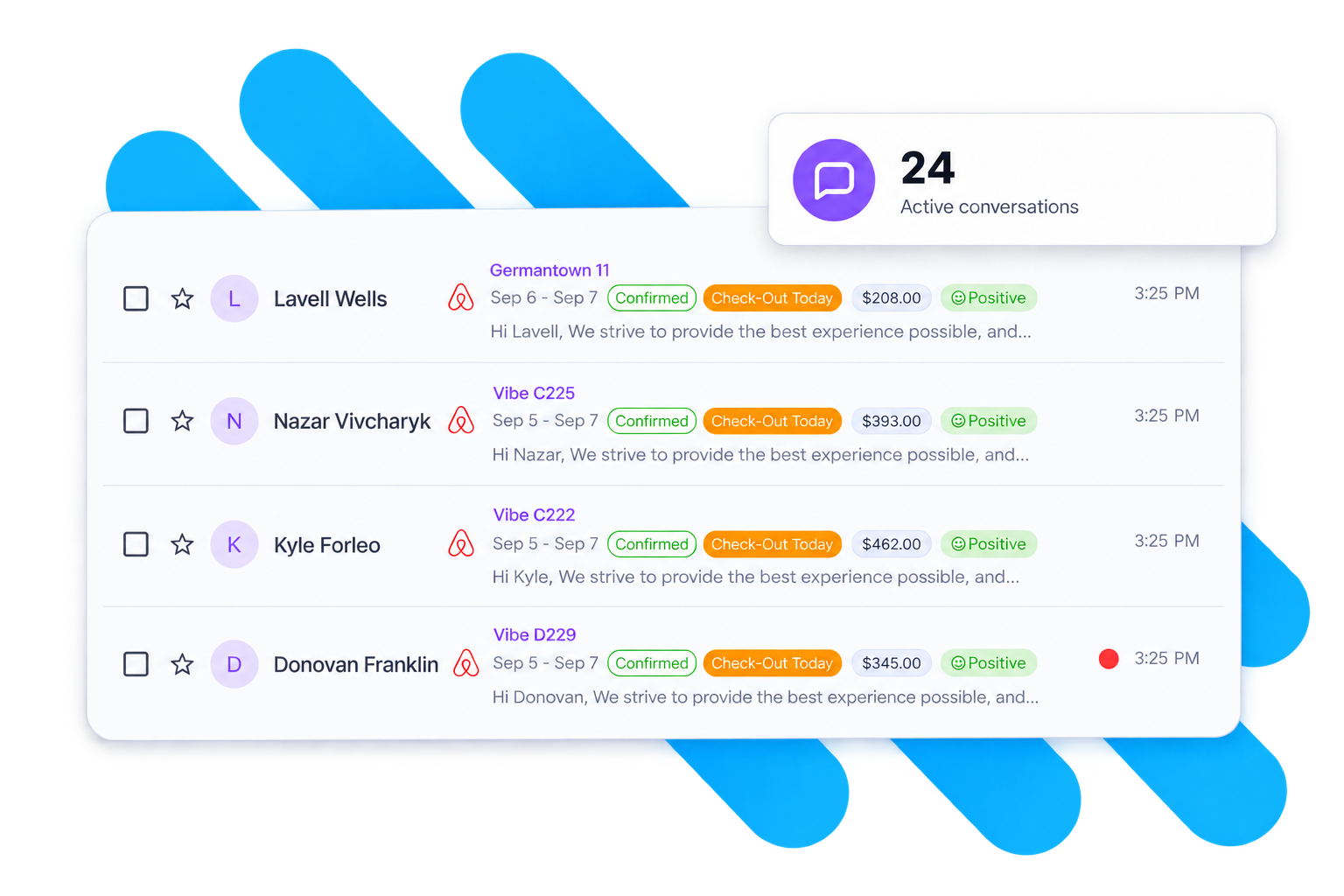
PMS and OTA threads, Airbnb direct, email, SMS and social DMs interleave in one list. Search and filters keep the queue focused.
- See who else is viewing or typing in a thread, live
- Save the filter sets your team works every day
- Bulk-assign, label, close or reopen
Drafts you can trust — because they show their work
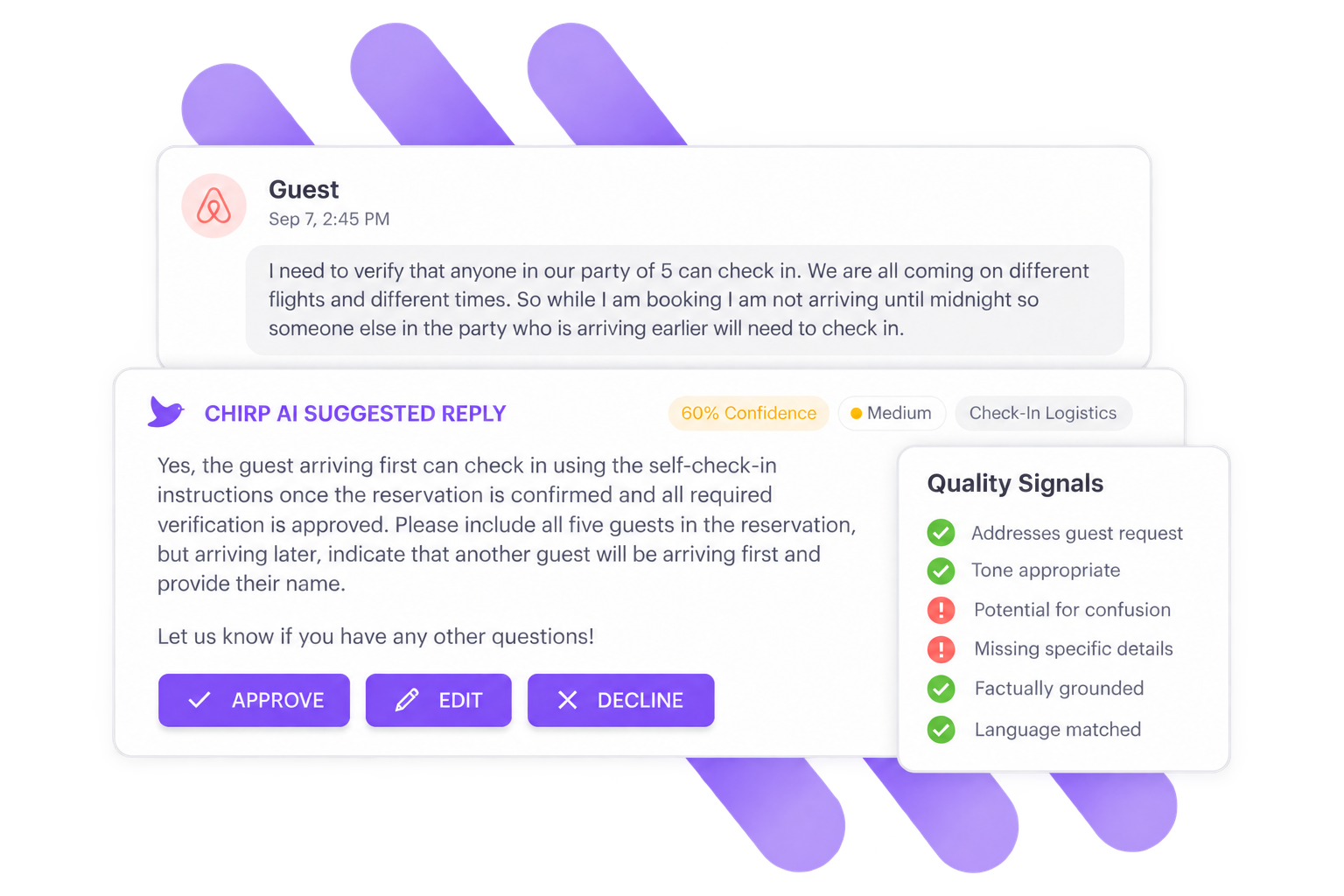
Every draft carries a confidence score, a separate risk level and pass/fail quality signals your team can read before it sends. Rate drafts up or down and future drafts improve.
- Confidence and risk are separate axes — a confident refund reply is still high risk
- Drafts in the guest’s language, with translations for your team
- Thumbs-up and thumbs-down feedback on every draft
Autopilot sends the safe ones
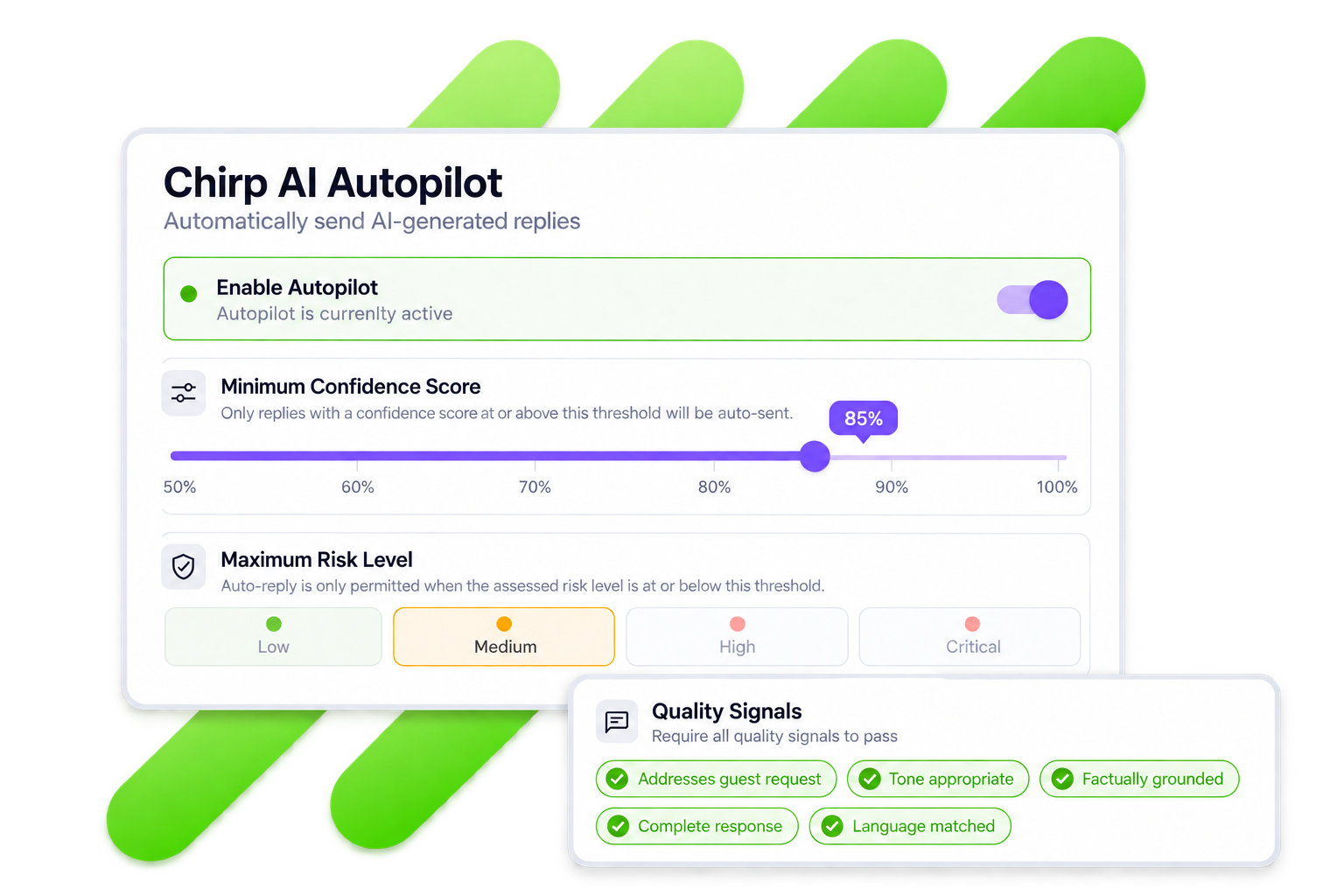
Set a confidence threshold, a maximum risk level, the quality signals you require and which intent categories qualify. Anything that misses a check waits for a human. Autopilot’s default failure mode is “ask a human.”
- Start with high confidence and low risk only, then expand from there
- Emergencies, refunds, chargebacks and legal threats never qualify
- An approval queue when you want eyes on every send
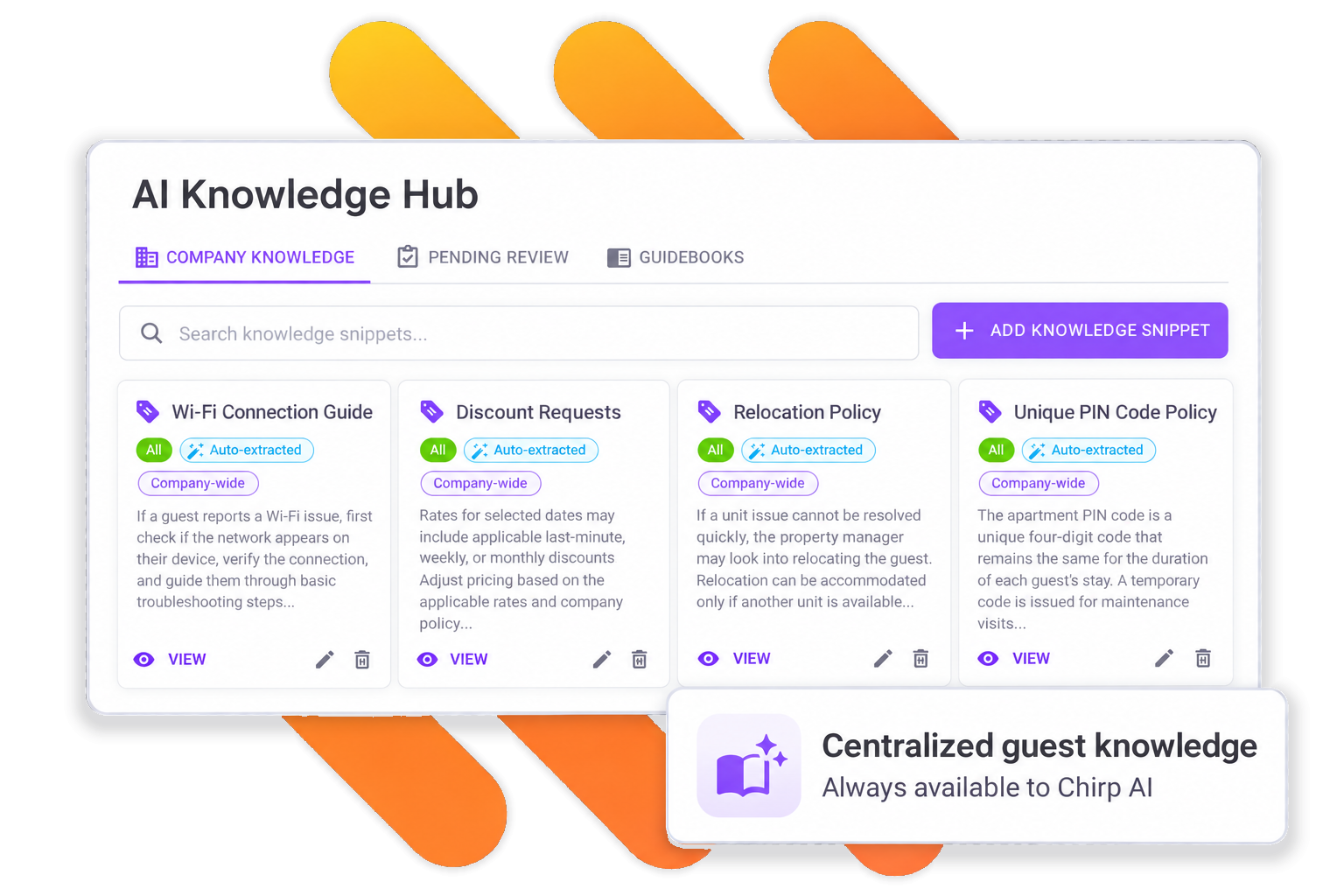
A Knowledge Hub that writes itself
Knowledge snippets ground every draft: company policies, property-group rules, per-property details. When your team edits a draft before sending, Chirp AI proposes a new snippet from the difference — approve it once and every future draft knows.
- Scoped to company, property group or property
- Proposed snippets wait in a review queue; nothing changes without approval
- The same snippets power Chirp AI Voice
Every issue routed to the right team
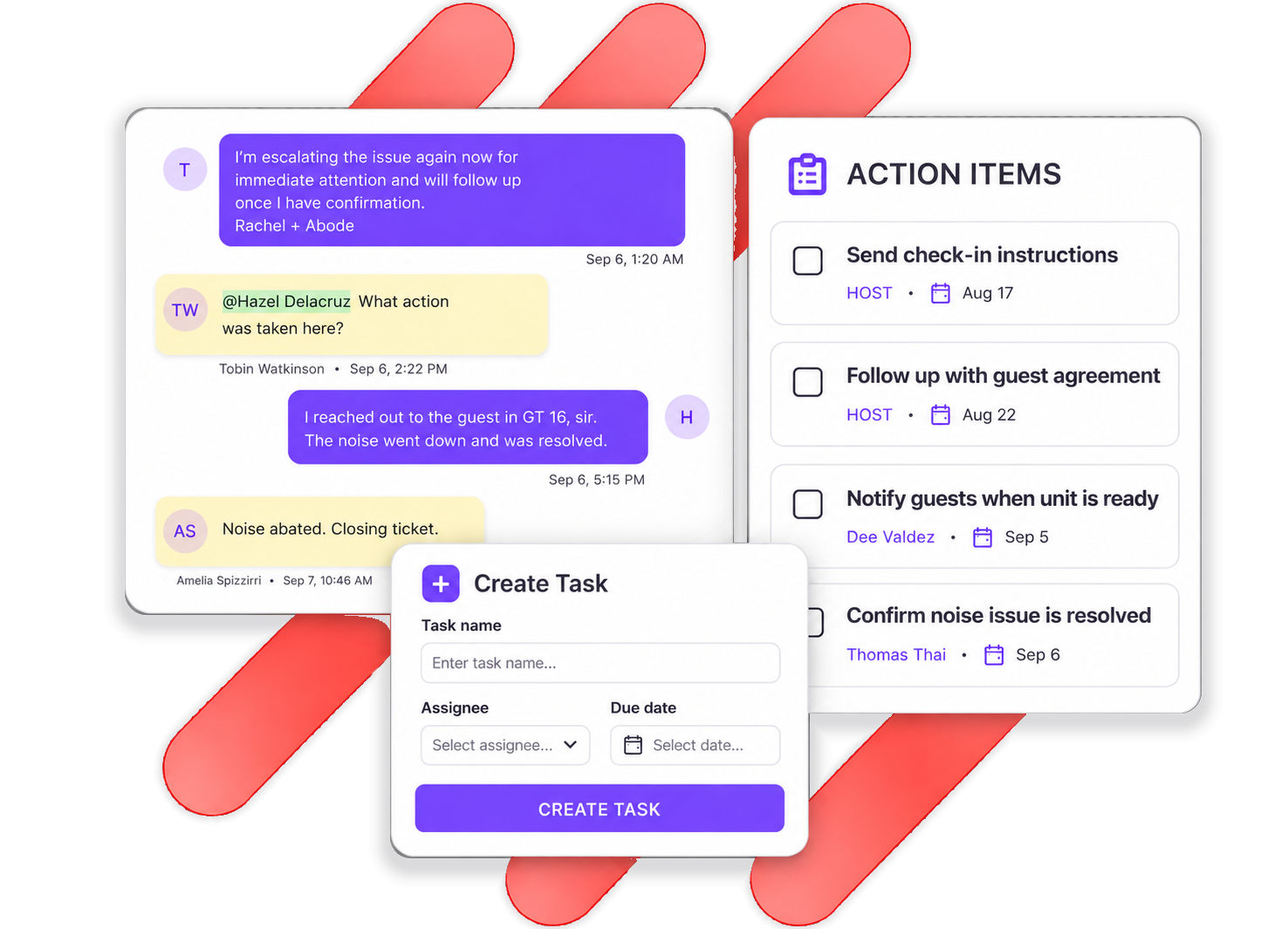
Chirp AI reads each guest message for action items, cleaning issues and maintenance issues, then dispatches them to the people who handle them — wherever you manage tasks.
- Each task carries a focused title and the guest’s own words
- Create a task by hand from any thread
- Every task links back to the conversation it came from
Channels and controls
Email on your domain
SPF and DKIM records, inbound forwarding, rich HTML and attachments.
SMS
Text from a number you own, through your Twilio account.
Your Meta WhatsApp Business Account, in the same inbox.
Instagram & Messenger
Direct messages from your Instagram account and Facebook Page.
Multi-language
Detection, translation and drafts in the guest’s language.
Webhooks
Post any conversation event, with full context, to your own systems.
Scheduled messages
Time check-in instructions and follow-ups to the reservation.
Saved filters & bulk actions
Work queues the way your team thinks about them.
Airbnb support threads
Airbnb support conversations reach the inbox on request.
Frequently asked questions
Which property management systems support Conversations?
Guesty today, plus the official Airbnb integration with or without a PMS. The other property management systems we integrate with are coming to Conversations — and every one of them is already live on Reputation Management.
Will the AI message my guests without me?
Not unless you turn Autopilot on. Out of the box every draft waits for a person. When you enable Autopilot you set the thresholds, the categories and the property groups, and anything outside them still waits.
Can I use my own email domain?
Yes. Add SPF, DKIM and a tracking record, forward your inbound address, and guest email sends from your domain and lands in the same inbox as everything else.
How does SMS work?
Bring your own Twilio account. You keep the number, the cost visibility and independence from PMS messaging limits.
What does Conversations cost?
Conversations works with either Reputation Management plan and is priced by portfolio size. Book a demo and we’ll size it for you.